The Elevate: A Versatile Display Family for Every Project
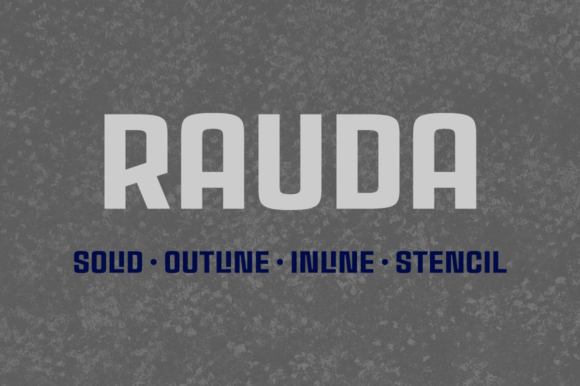
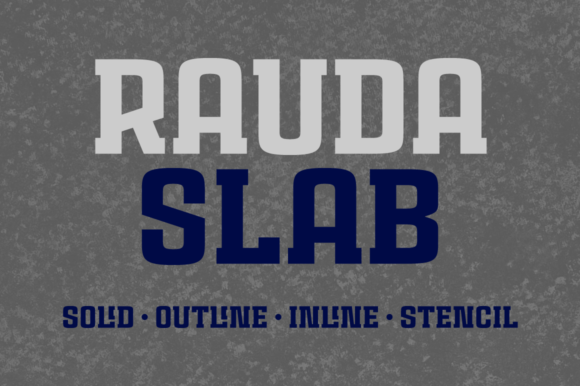
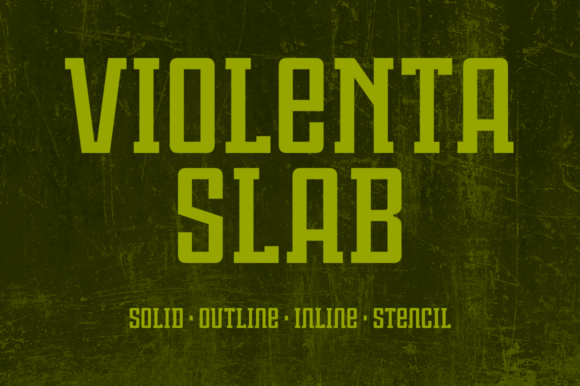
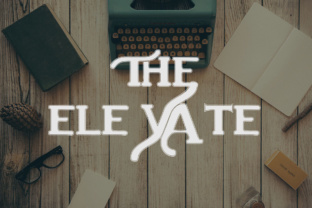
Choosing the right typeface is rarely a standalone decision. It sits at the intersection of message, medium, and audience. The Elevate is a display family that comes with several styles, designed to give you room to adapt without switching font ecosystems. Whether you are building a brand identity, designing a presentation, or laying out a digital publication, this family offers a range of weights and expressions while maintaining a cohesive visual language. The practical value lies not just in its appearance, but in how it fits into your existing workflow from planning through delivery.
Understanding The Elevate in a Broader Process
A typeface like The Elevate is most useful when you treat it as part of a larger system of choices. Before you even open a design tool, consider where this font will live. Will it appear mainly on screens, in print, or across both? Will it carry headlines, short copy, or occasional callouts? The family’s range of styles means you can answer these questions ahead of time and select the right variant before you commit to a full layout. This preparation reduces rework later.
During a project, the font acts as a consistent thread across different assets. A bold weight might anchor a landing page headline, while a lighter style carries a supporting quote on the same site. After the project launches, the same family can be reused in collateral, social graphics, or internal documents, preserving brand recognition without forcing your team to learn a new tool. The Elevate doesn't just serve one moment; it supports the entire lifecycle of your work.
Before the Project: Planning and Selection
When you are mapping out a project, the typeface decision often comes after the core message is defined. The Elevate lends itself to planning because its styles are distinct enough to separate content roles but unified enough to avoid clashing. For example, if you are preparing a pitch deck for a client, you can assign the boldest style to the main value proposition, a medium weight to supporting statistics, and a lighter style for captions. This planning step saves hours of trial and error during design.
Consider also the compatibility with existing assets. If you already have a secondary typeface for body text, check how The Elevate behaves in close proximity. The family’s proportions and x-height are designed to pair well with many neutral sans serifs and classic serifs, but testing a short sample in your actual layout tool is a quick way to validate the combination before full production.
During the Project: Execution and Adaptation
Once you are in the execution phase, The Elevate becomes a practical tool for maintaining momentum. Because the family includes multiple styles, you can adjust tone without leaving your design environment. A marketer refining a landing page can switch from a regular style to a condensed variant to fit a longer headline within a fixed width. A blogger laying out a featured article can use the bold style for the title and the same font’s lighter weight for the author byline, preserving visual flow.
Integration with common design and productivity tools is straightforward. The font works natively in Adobe Creative Suite, Figma, Sketch, and most web-based editors. Upload the family to your font manager or directly into your operating system, and it becomes available across your whole tool stack. This reduces friction when moving from a mockup in Figma to a final asset in Photoshop or a web export in Dreamweaver.
After the Project: Consistency and Scaling
After a project goes live, the real test of a font family is how easily it scales. The Elevate supports this by giving you a library of styles that can be applied to new content without reinventing the design language. A small business owner launching a second product line can reuse the same headline style from the original branding. A freelancer building a portfolio can add new case studies using the same typographic hierarchy they established months ago.
Additionally, the family’s range is useful for versioning content across platforms. A blog post on a website can use the bold style for the title, while the same article on a social media card uses a medium weight for better readability at smaller sizes. This consistency creates a professional, polished impression that builds trust over time.
Interactions with Other Resources and Methods
No typeface works in isolation. The Elevate interacts with your broader toolkit in several meaningful ways. First, it pairs well with established layout grids and spacing systems. Because its letterforms are well-proportioned, you can rely on standard leading and tracking values without excessive manual adjustment. This is especially helpful when using design systems like a CSS framework or a UI kit, where typography is often defined in variables.
Second, the font family complements color palettes and imagery. Its neutral, modern stance allows both vibrant and muted schemes to take center stage. In practice, this means you don't need to fight with the typeface when the visual direction shifts. A deep blue background, a high-contrast gradient, or a textured photograph all coexist cleanly with The Elevate in its various styles.
Third, the family works with content management systems like WordPress, Squarespace, or Webflow. By uploading the web font versions or linking to a hosted version, you can apply the same typography to live pages, blog posts, and landing pages. This removes the gap between designer intent and developer output, which is a common friction point in collaborative projects.
For Content Creators and Bloggers
If you produce long-form content, The Elevate can structure your posts visually. Use the boldest style for your article title, a medium weight for subheadings, and the base style for pull quotes or callout boxes. The uniformity of the family means readers get a clear hierarchy without distraction. You can even create a reusable template in your blogging platform that maps each HTML heading level to a specific font weight, ensuring consistency across dozens of posts.
For Entrepreneurs and Small Business Owners
In a lean operation, every tool should do double duty. The Elevate can serve both your external marketing and your internal documents. Use the professional styles for your pitch deck, website headers, and email templates, then carry the same family into your business plans, invoices, and meeting notes. This reduces the cognitive load of switching between different fonts and reinforces your brand even in internal communication.
For Designers and Creative Professionals
When you are juggling multiple client projects, a reliable display family saves time on sourcing and testing. The Elevate gives you a palette of styles that you can apply to logos, posters, social media assets, and presentation decks. Its versatility means you can present a unified concept to a client early in the process, then refine later without a full typography overhaul. You can also pair it with a neutral body font like Roboto or Open Sans for a reliable two-font system that works across most industries.
Practical Implementation Tips
- Test all styles in context. Before committing to the full family, render at least three styles (bold, regular, light) in your actual layout to confirm readability. This catches issues like contrast loss on colored backgrounds or spacing problems at small sizes.
- Use font management software. If you work across multiple machines, tools like FontBase or RightFont let you activate only the styles you need for a session, keeping your system responsive.
- Build a simple style guide. Document which The Elevate style corresponds to each use case (H1, H2, subtitle, pull quote, button). Share this with collaborators so consistency holds even when the design is handed off.
- Check licensing for commercial projects. Ensure you have the appropriate license for web, app, or print use. Display families often have different tiers, so confirm before launching.
- Optimize for performance online. If you use The Elevate as a web font, limit the number of weights you load to the ones you actually need. This keeps page load times low without sacrificing visual variety.
Quality Control and Long-Term Use
Typography is an investment that pays off over repeated use. The Elevate holds up well under consistent application because its styles retain their character whether you are printing a business card at small sizes or projecting a keynote on a large screen. Periodically review how the font appears across your different outputs. Screen rendering can vary, so test on a mobile device, a laptop, and an external monitor to catch any aliasing or scale issues.
For long-term projects, consider archiving the font files along with your project assets. If you upgrade your operating system or switch to a new version of a design tool, having the original font files ensures you can reopen old files without substitution errors. Also, pay attention to any updates from the foundry. Some display families receive character additions or kerning improvements over time, which can enhance your existing work without needing to redesign.
Choosing the Right Style for the Right Moment
The strength of The Elevate lies in its range, but that range also requires intentional selection. A common mistake is using the same weight for every headline across a campaign. Instead, match the style to the message’s function. Use the boldest version for calls to action and primary headings—places where you need immediate visual impact. Reserve medium or regular weights for secondary information, and use lighter styles for supporting text that should recede slightly. This natural variation guides the reader’s eye without additional graphic elements.
You can also alternate styles to signal different content types within the same document. In a newsletter, a bold The Elevate headline might open a feature story, while a lighter version precedes a news brief. The family becomes a subtle way to organize information without relying solely on color or icons.
Ultimately, The Elevate earns its place in your workflow because it reduces the number of typographic decisions you have to make while increasing the quality of the outcome. By planning its use before a project, integrating it smoothly during execution, and relying on it consistently over time, you free up mental energy for the creative and strategic work that truly matters.